Norlys IPv6 (Or *not* IPv6 depending on who you ask)
Introduction
Recently I was forced by my employer to move to a new ISP; reluctantly I did so because internet is not cheap in this day and age.
Not much was disclosed about the new ISP, other than it had to happen and we could not choose freely from the market anymore as was the case before. Lo and behold it was Norlys, the ISP everyone loves to bash…
https://www.tvsyd.dk/kunder-raser-mod-norlys/norlys-i-ny-shitstorm-det-er-sa-uprofessionelt https://www.tv2nord.dk/frederikshavn/kunder-har-faaet-nok-af-norlys-det-er-enormt-frustrerende https://www.tvmidtvest.dk/midt-og-vestjylland/hold-jer-langt-vaek-norlys-i-strid-modvind-pa-facebook
Much can be said about the ISP, and I will keep my own opinions to myself. But what was most annoying for me was the shift from an ISP who supported native IPv6 (on fiber) to one that did not seem to support it at first glance (or at least won’t admit it’s a thing?)
Looking at https://ipv6-adresse.dk/ (Unofficial Danish IPv6 provider dictionary) they will state that they have been told that Norlys supports it partially, especially on fiber. Many comments on GitHub (for the site’s open source maintenance) about Norlys or subsidiaries will state the opposite
https://github.com/emilstahl/ipv6/issues/69
https://github.com/emilstahl/ipv6/issues/96
https://github.com/emilstahl/ipv6/issues/62 (former Stofa is now Norlys)
The technical details from my point of view
So just a quick recap: I have Norlys on fiber out in the western part of Denmark, more specifically on the RAH Fiber-optics ring. It’s provided through my employer, but works as any normal private connection to my understanding.
IPv6 is possible, even with non-ISP issued equipment. Or maybe some places but not all? Again it seems that it’s one big mystery about Norlys’s IPv6 support, but one thing is for sure: I have it and it’s through Norlys.
One evening I was bored, and tried enabling DHCPv6 on my WAN interface just to see if I got any address. Previously I had Kviknet, which was merged with EWII where a /48 prefix was delegated via this with PD ia-pd. Rightfully so, I did actually get one, that was also public: 2a13:8a02:0:7::4aa4
This got me more invested. I decided to do a PCAP dump on WAN to see what was going on and get the DHCPv6 packages. Looking at the DHCPv6 Reply, it became more clear. (DHCPv6 Reply XID packet below)
1
2
3
4
5
6
7
8
9
10
11
12
13
14
15
16
17
18
19
20
21
22
23
24
25
26
27
28
29
30
31
32
33
34
35
36
37
38
39
40
41
42
43
44
45
46
47
48
49
50
51
52
53
54
55
56
57

Frame 303: 227 bytes on wire (1816 bits), 227 bytes captured (1816 bits)
Ethernet II, Src: JuniperNetwo_19:31:1e (ec:94:d5:19:31:1e), Dst: 00:e2:69:30:db:39 (00:e2:69:30:db:39)
Internet Protocol Version 6, Src: fe80::ee94:d5ff:fe19:311e, Dst: fe80::2e2:69ff:fe30:db39
User Datagram Protocol, Src Port: 547, Dst Port: 546
DHCPv6
    Message type: Reply (7)
    Transaction ID: 0x25ae6d
    Client Identifier
        Option: Client Identifier (1)
        Length: 14
        DUID: 000100012b1943fe00e26930db39
        DUID Type: link-layer address plus time (1)
        Hardware type: Ethernet (1)
        DUID Time: Nov 29, 2022 23:28:14.000000000 Rom, normaltid
        Link-layer address: 00:e2:69:30:db:39
        Link-layer address (Ethernet): 00:e2:69:30:db:39 (00:e2:69:30:db:39)
    Server Identifier
        Option: Server Identifier (2)
        Length: 14
        DUID: 000100012bf52e18005056853c5a
        DUID Type: link-layer address plus time (1)
        Hardware type: Ethernet (1)
        DUID Time: May 15, 2023 19:53:28.000000000 Rom, sommertid
        Link-layer address: 00:50:56:85:3c:5a
        Link-layer address (Ethernet): VMware_85:3c:5a (00:50:56:85:3c:5a)
    Identity Association for Non-temporary Address
        Option: Identity Association for Non-temporary Address (3)
        Length: 40
        IAID: 00000000
        T1: 1488
        T2: 2380
        IA Address
            Option: IA Address (5)
            Length: 24
            IPv6 address: 2a13:8a02:0:7::4aa4
            Preferred lifetime: 2975
            Valid lifetime: 6575
    DNS recursive name server
        Option: DNS recursive name server (23)
        Length: 32
         1 DNS server address: 2a03:7400::4
         2 DNS server address: 2a03:7400::5
    Identity Association for Prefix Delegation
        Option: Identity Association for Prefix Delegation (25)
        Length: 41
        IAID: 00000000
        T1: 1488
        T2: 2380
        IA Prefix
            Option: IA Prefix (26)
            Length: 25
            Preferred lifetime: 2975
            Valid lifetime: 6575
            Prefix length: 56
            Prefix address: 2a13:8a02:3047:e400::
Looking at the above, one can see that I get the Identity Association for Non-temporary Address a /128 for routing on my WAN interface, and then the actual PD Identity Association for Prefix Delegation for assigning my internal devices. A /56 2a13:8a02:3047:e400::
At my home I use pfSense. No special options were enabled besides DHCPv6 on WAN and then the /56 on the option DHCPv6 Prefix Delegation size (used for tracking of interfaces). It seems that the lease of the /56’s are dynamic and that a simple restart will get you a new one (not 100% sure about this), so it’s not a static range you get, which means that you will need to have inside interfaces use “Track interface” (pfSense terminology perhaps?) https://docs.netgate.com/pfsense/en/latest/interfaces/configure-ipv6.html#track-interface
Anyhow, it means to use the PD dynamically from the WAN interface and dynamically apply it to your DHCPv6/SLAAC/or whatever you use, on the inside if need be for later dynamic retrieval of IPv6 addresses for your devices.
1
2
3
4
5
6
7
8
9
10
11
12
13
14
15
16
17
18
19
20
21
*A traceroute of me reaching one.one.one.one (IPv6) from the Norlys connection*

tracert 2606:4700:4700::1111

Tracing route to one.one.one.one [2606:4700:4700::1111]
over a maximum of 30 hops:

  1    <1 ms    <1 ms    <1 ms  2a13:8a02:3048:2120:2e2:69ff:fe3c:c2ef
  2    11 ms    10 ms    15 ms  2a13:8a02:0:7::1
  3     6 ms     6 ms     6 ms  2a13-8a00-1001-24--a.norlyscustomer.net [2a13:8a00:1001:24::a]
  4     6 ms     6 ms     6 ms  2a13-8a00-1001-14--b.norlyscustomer.net [2a13:8a00:1001:14::b]
  5     6 ms     5 ms     6 ms  2a13-8a00-1001-19--b.norlyscustomer.net [2a13:8a00:1001:19::b]
  6     6 ms     5 ms     6 ms  2a13-8a00--.norlyscustomer.net [2a13:8a00::]
  7     *        *        *     Request timed out.
  8    10 ms     9 ms    10 ms  be-201.koldt-cor03.ip.norlys.io [2a02:25c8:e1c0:187::2]
  9     9 ms     9 ms    10 ms  be-183.ejby-cor03.ip.norlys.io [2a02:25c8:e100:162::2]
 10     *        9 ms     *     be-200.taa01br02.ip.norlys.io [2a02:25c8:e1c0:1a4::3]
 11     9 ms    16 ms    10 ms  2400:cb00:65:200::4
 12     9 ms     8 ms    10 ms  one.one.one.one [2606:4700:4700::1111]

Trace complete.
Optional (Not sure if this is needed)
This rule i put in, as it seems to be common denominator amongst many other IPv6 ready DHCPv6 using ISP’s, but not sure if it’s needed 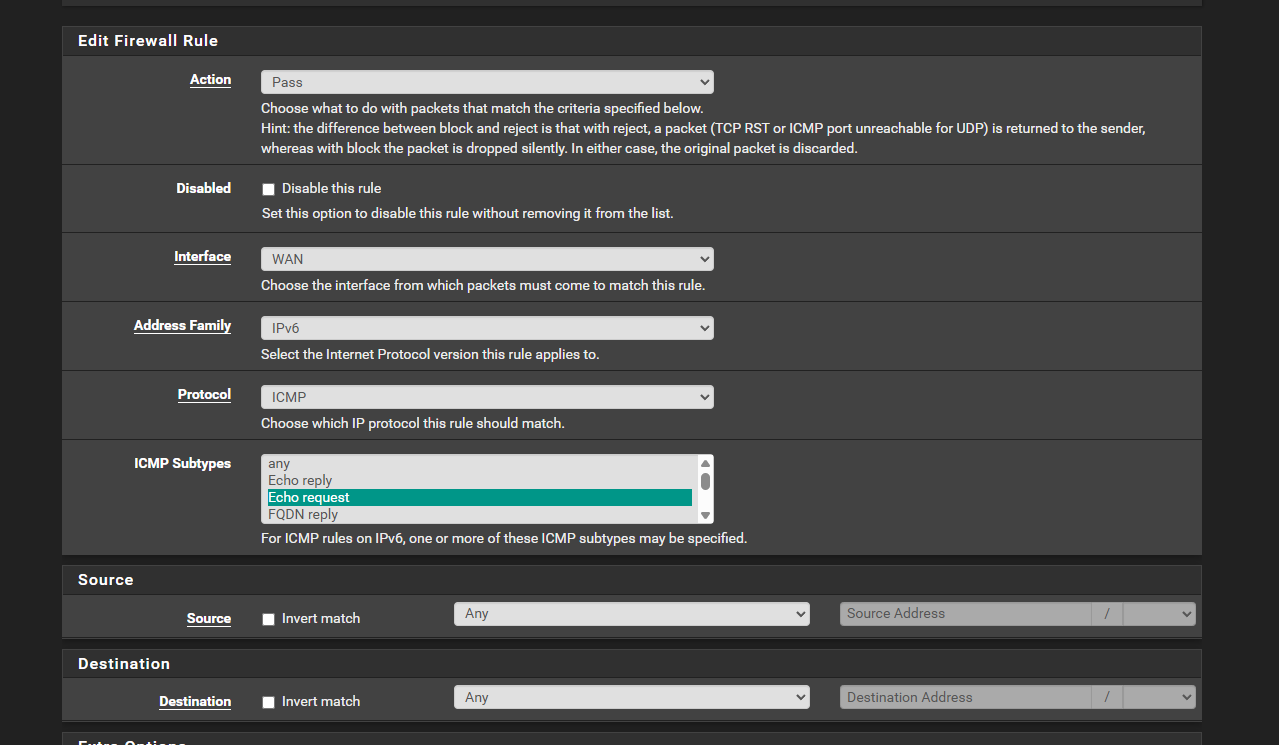 If nothing else, it can be used to allow pings to all IPv6 addresses.